
AI can draft a course outline in seconds.
It can summarize pages of content.
It can generate quiz questions, scenarios, images, scripts, presentations, and job aids.
For learning and development teams under pressure to produce more with fewer resources, that’s incredibly appealing.
But as AI becomes part of everyday L&D workflows, there’s another question we should be asking:
Is the learning we’re creating faster also becoming more accessible?
Because speed and accessibility aren’t the same thing.
And if we’re not careful, AI can help us create inaccessible learning just as quickly as accessible learning.
The New L&D Challenge Isn’t Creating Content
For years, creating learning content required significant time.
Today, AI can dramatically accelerate parts of that process.
That changes the bottleneck.
The challenge is increasingly becoming:
What should we create—and is it actually good?
L&D teams still need to determine whether content is accurate, relevant, accessible, useful, appropriately designed, and connected to the performance need.
AI can help create.
Humans still have to decide what deserves to be created.
That distinction matters.
AI Doesn’t Automatically Understand Your Learners
Ask an AI tool to create a training resource and you may receive something polished within seconds.
But polished doesn’t automatically mean accessible.
Consider a few examples.
An AI-generated image may communicate an important concept visually—but does it have meaningful alternative text?
An AI-created presentation may look impressive—but does the color contrast work for everyone?
A generated eLearning interaction may seem engaging—but can someone complete it without using a mouse?
AI-generated narration may save production time—but are accurate captions and transcripts available?
An AI-written explanation may be technically correct—but is the language unnecessarily complex?
Accessibility still requires intentional decisions.
Accessibility Is More Than a Checklist
It’s tempting to think about accessibility as something we verify before publishing.
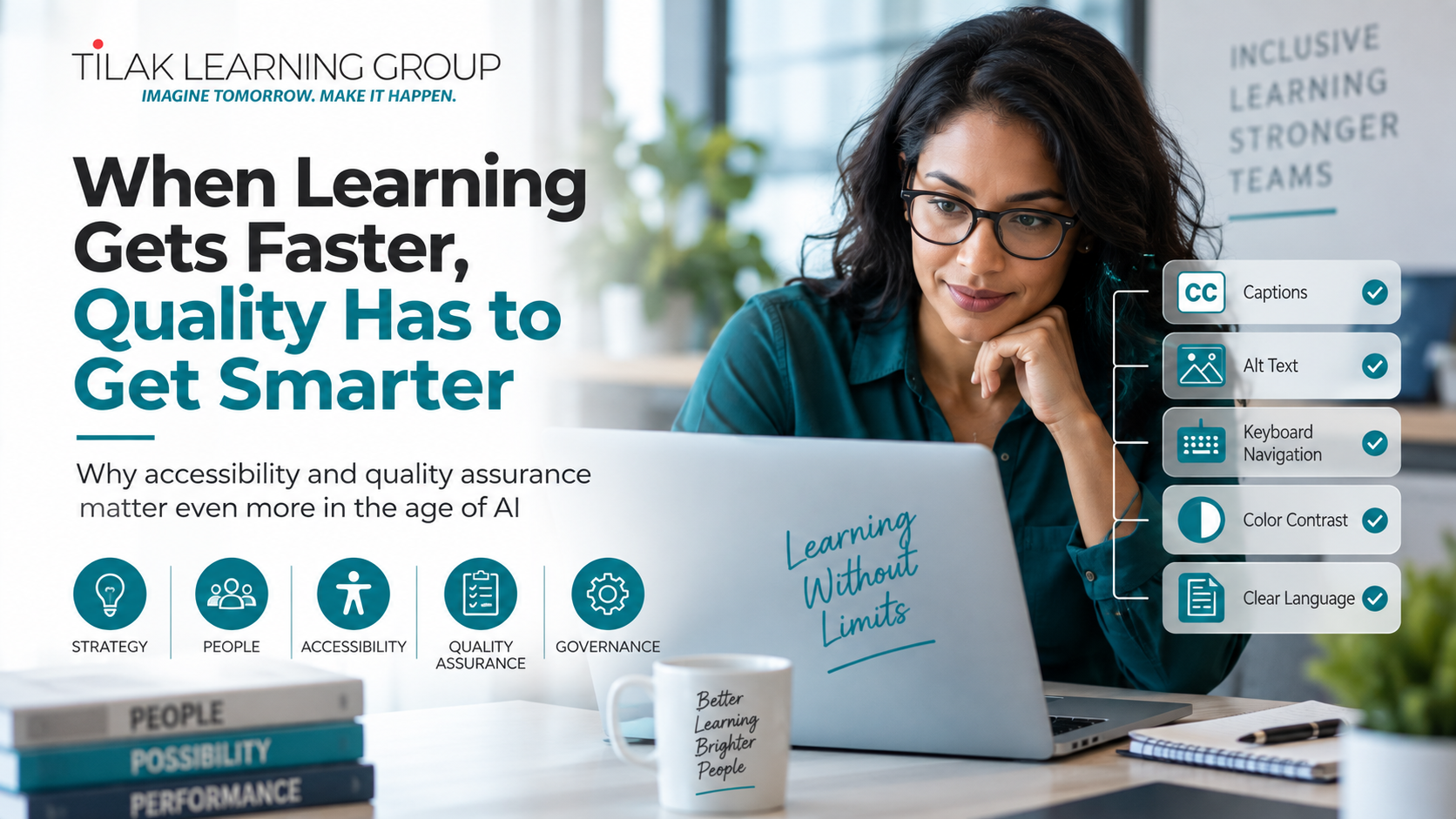
Captions? Check.
Alt text? Check.
Contrast? Check.
Keyboard navigation? Check.
Those things matter.
But accessible learning goes deeper.
It asks:
Can people perceive the information?
Can they navigate the experience?
Can they understand what we’re asking them to do?
Can they interact with the learning successfully?
Are we introducing barriers that don’t need to exist?
When accessibility becomes part of the design conversation from the beginning, it changes how learning is created.
And that can improve the experience for everyone.
AI Can Actually Help Accessibility
There is another side to this conversation.
Used thoughtfully, AI has enormous potential to support more inclusive learning.
It can help teams create initial caption drafts.
It can suggest plain-language alternatives.
It can help identify unnecessarily complicated wording.
It can generate first drafts of image descriptions for human review.
It can help teams explore multiple ways of explaining a difficult concept.
It can assist with restructuring information into clearer chunks.
It can even help designers ask accessibility questions earlier in development.
That’s exciting.
But there’s an important phrase in nearly every example:
Human review.
AI can accelerate the work.
It shouldn’t eliminate judgment.
The 10-Minute Accessibility Test
Here’s something every learning team can try this week.
Choose one recently created digital learning experience.
It could be an eLearning course, presentation, PDF, job aid, or other resource.
Spend 10 minutes experiencing it differently.
Put the mouse aside and try navigating with only the keyboard.
Turn captions on and actually read them.
Increase the screen magnification.
Look at the experience in grayscale.
Read the content aloud.
Ask whether the instructions still make sense without relying on visual positioning.
You may discover barriers that weren’t obvious during development.
That’s valuable information.
Accessibility improves when we stop designing only from our own perspective.
Faster Isn’t the Same as Better
This may become one of the most important principles for L&D teams navigating AI.
The ability to create something faster doesn’t mean we should create more of it.
If AI saves your team five hours, don’t automatically use those five hours to produce five more pieces of content.
Use some of that time to improve the experience.
Test accessibility.
Talk with learners.
Improve scenarios.
Simplify instructions.
Validate information.
Create stronger performance support.
Ask whether the learning is solving the right problem.
AI should give L&D teams more capacity for the work that requires human thinking—not simply increase the volume of content we produce.
A Better Question for L&D Leaders
Instead of asking:
“How much faster can AI help us create learning?”
Try asking:
“What can we do better because AI gave us some time back?”
Maybe the answer is better accessibility.
Maybe it’s more learner research.
Maybe it’s stronger performance support.
Maybe it’s better measurement.
Maybe it’s more meaningful practice.
Maybe it’s finally updating an aging learning library.
That’s where the real opportunity begins.
The Future of Learning Should Be Faster AND More Inclusive
AI is going to continue changing learning and development.
The goal shouldn’t be to resist that change.
It should be to use these tools intentionally.
Create faster when speed helps.
Slow down when judgment matters.
Automate repetitive work.
Protect the human decisions that shape quality.
And build accessibility into the process rather than trying to repair it at the end.
Because the most exciting future for L&D isn’t one where we simply produce more learning.
It’s one where we create better learning—and more people can use it successfully.
How Tilak Learning Group Can Help
Tilak Learning Group helps organizations turn complex information into learning experiences that are clear, engaging, accessible, and connected to performance.
We support organizations with:
Accessibility & WCAG
Designing and improving accessible eLearning, presentations, PDFs, and learning resources.
AI + L&D Strategy
Exploring practical ways to incorporate AI into learning workflows while maintaining quality and human judgment.
Custom eLearning
Transforming complex subject matter into learning experiences people can understand and apply.
Learning Strategy & Consulting
Identifying the performance need before determining the learning solution.
Presentation Design
Turning information-heavy presentations into clear, purposeful communication.
Performance Support
Creating job aids, guides, toolkits, and resources employees can use when the work is happening.
The technology may be changing.
Our fundamental question shouldn’t:
Are we creating learning experiences that help people succeed?
Tilak Learning Group
Strategy • Design • Development • Accessibility • Performance
tilaklearninggroup.com







0 Comments